Meta Pixel vs Conversions API: Why You Need Both
Browser tracking misses more sales every year. Here is what the Meta Conversions API does, why it matters for your results, and how to set it up properly.
If your Meta ads seem to be getting worse for no clear reason, tracking is one of the first things to check. Meta's algorithm learns from the conversion data you send it. When that data is incomplete, it optimizes on a partial picture, and your results suffer.
What the Meta Pixel does
The Pixel is a piece of code on your website that runs in the visitor's browser. When someone views a product, adds to cart, or buys, the Pixel sends that event to Meta.
The problem is that browsers increasingly get in the way. Ad blockers, privacy settings, iOS tracking limits, cookie restrictions, and slow pages can all stop the Pixel from firing. Every missed event is a sale Meta doesn't know about.
What the Conversions API does
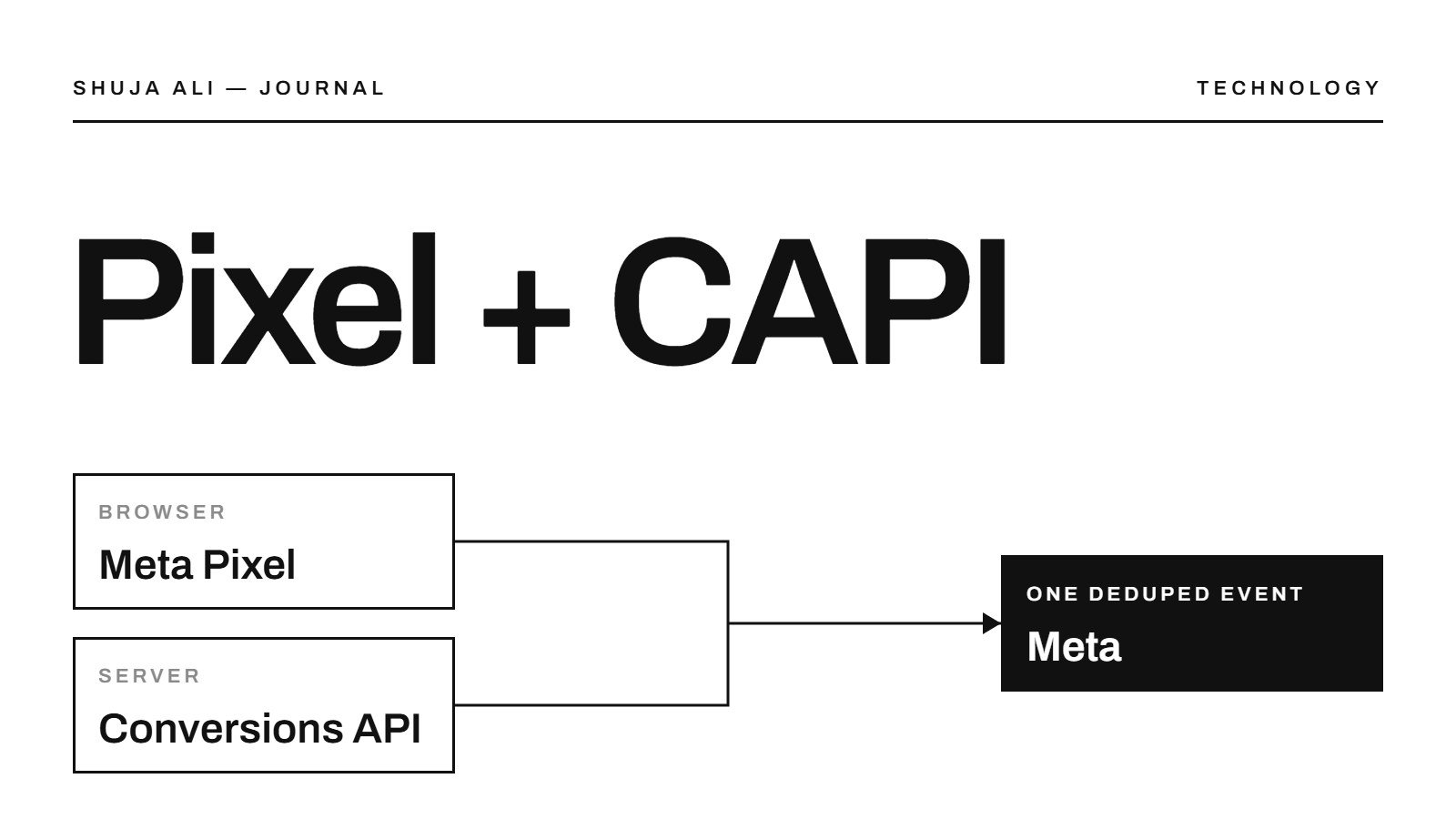
The Conversions API (CAPI) sends the same events from your server instead of the browser. Because it doesn't rely on the visitor's browser, most of those blockers don't affect it.
That doesn't mean you should drop the Pixel. The two work best together.
Why you need both
Running the Pixel and the Conversions API side by side gives Meta two chances to receive each event. That means:
- More complete data: fewer missed purchases and leads
- Better optimization: the algorithm learns from more real conversions
- More accurate reporting: your ROAS in Ads Manager is closer to reality
- Stronger audiences: retargeting and lookalikes are built from fuller data
Deduplication: the step people skip
If both the Pixel and CAPI send the same purchase, Meta needs to know it's one sale, not two. That's deduplication. Each event should be sent with the same event name and a matching event ID from both sources.
Skip this, and your reports can double-count conversions, which makes campaigns look better than they are. It's one of the most common setup mistakes we find in audits.
Check your Event Match Quality
In Events Manager, Meta gives each event an Event Match Quality score. It shows how well Meta can match your events to real people. Sending more customer information, such as a hashed email or phone number, improves the score and usually your results.
How to set it up
Most platforms make this easier than it used to be:
- Shopify: use Meta's official sales channel app and set customer data sharing to the highest level.
- WordPress / WooCommerce: use Meta's official plugin or a server-side tracking tool.
- Custom sites and lead forms: use a server-side setup such as a Google Tag Manager server container, or send events directly from your backend.
After setup, test every key event in Events Manager and confirm deduplication is working before you spend more.
The takeaway
Your ads can only be as good as the data behind them. Running the Pixel and the Conversions API together, with proper deduplication, is one of the simplest ways to improve results without changing a single ad.
Not sure if your tracking is set up right? We check it on every free strategy call.